TUI
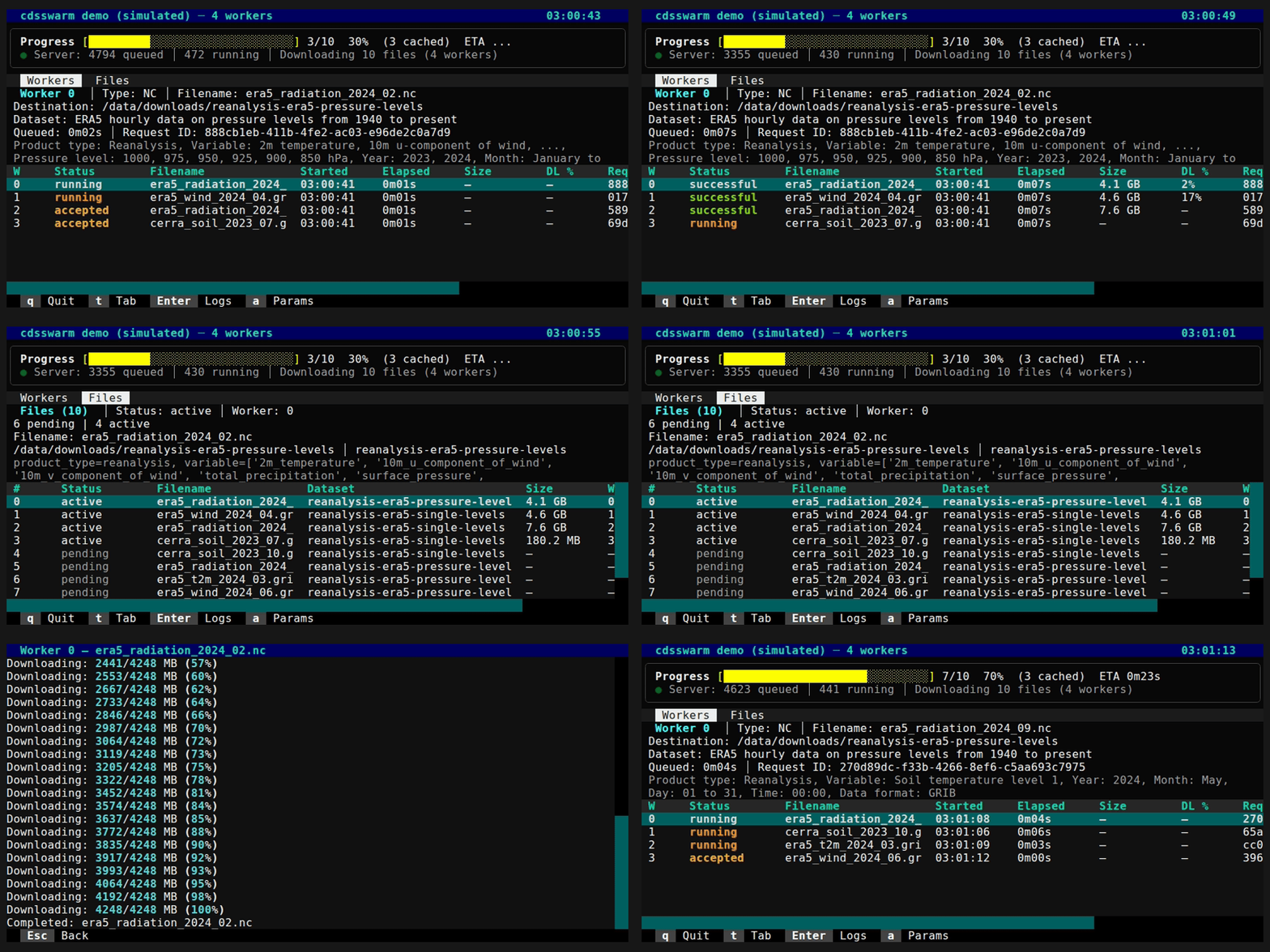
The interactive TUI (terminal user interface) is built with Textual and is available via the CLI. It launches automatically when stdout is a TTY, or can be forced with --mode interactive.
Layout
The TUI has three main sections:
- Info panel — summary of the current session (total tasks, workers, progress)
- Data table — htop-style table with one row per worker, showing live status
- Progress footer — overall progress bar with ETA
The table has two tabs:
- Workers — one row per worker showing current task status
- Files — one row per file showing download status
Worker Table Columns
| Column | Description |
|---|---|
| W | Worker number |
| Status | Current status (queued, running, successful, failed) |
| Filename | Target file being downloaded |
| Started | Time the task started |
| Elapsed | Time since task started |
| Size | File size (from CDS metadata) |
| DL % | Download progress percentage |
| Request ID | CDS API request ID |
Key Bindings
| Key | Action |
|---|---|
q |
Quit |
t / Tab |
Switch tab (Workers / Files) |
Enter |
Open scrollable log for the selected worker |
a |
Show full request parameters |
Esc |
Dismiss screen / go back |
Ctrl+C |
Cancel — in-flight CDS API requests are cancelled on the server |
Screens
Log Screen
Press Enter on a worker row to open a scrollable log showing all status messages for that worker. Press Esc to return.
Parameters Screen
Press a on a worker row to view the full CDS API request parameters for that task. Press Esc to return.
Display Mode Selection
| Mode | Behavior |
|---|---|
auto (default) |
TUI if stdout is a TTY, script mode otherwise |
interactive |
Always use the TUI |
script |
Always use plain-text output |